键盘与 MIDI
Keyboard & MIDI
用快捷键或 MIDI 键盘逐步输入音符与和弦。
Step-enter notes and chords with shortcuts or a MIDI keyboard.
 WA Score
在 iPad 与 Mac 上,用 Apple Pencil、键盘或 MIDI 自然输入;从手写识别到刻谱、播放与导出,都围绕同一份可编辑乐谱完成。
Write naturally with Apple Pencil, a keyboard, or MIDI. Move from handwriting recognition to editing, engraving, playback, and export in one score.
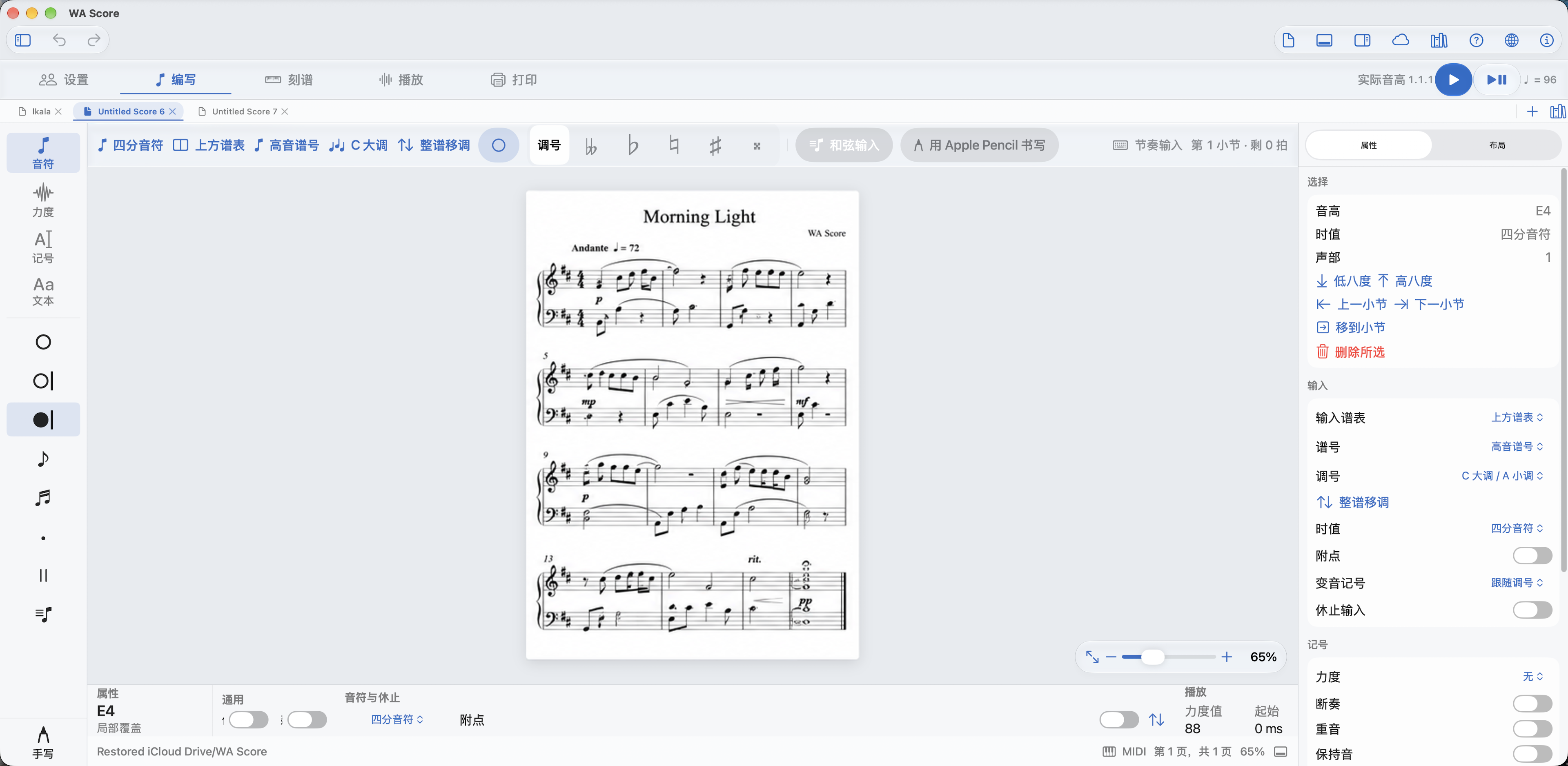
来自当前 WA Score Mac Catalyst 应用的真实界面与演示谱面。
The current WA Score Mac Catalyst interface with a live editable score.
类似 StaffPad 的手写工作流
A StaffPad-like handwriting workflow
在五线谱上用 Apple Pencil 书写,识别后得到能够选择、移调、改变时值并继续排版的音符,而不是一张不可编辑的图片。
Write on the staff with Apple Pencil, recognize the ink, then keep editing the resulting notes—select, transpose, change duration, and engrave.
当前手写识别面向明确的音符输入流程,并会持续扩展识别范围。
Handwriting recognition currently focuses on a clear note-entry workflow, with broader recognition planned over time.
键盘、MIDI、触控与手写共享同一套音乐语义。换一种设备,不必换一种工作方法。
Keyboard, MIDI, touch, and handwriting share the same musical model. Change devices without changing how your score works.
用快捷键或 MIDI 键盘逐步输入音符与和弦。
Step-enter notes and chords with shortcuts or a MIDI keyboard.
选择音符和乐句,改变时值、音高、力度与演奏记号。
Select notes and phrases, then change duration, pitch, dynamics, and articulations.
谱面与试听从同一组音乐事件生成,编辑结果始终一致。
Notation and playback derive from the same musical events, so edits stay in sync.
导入和导出 MusicXML,或输出清晰的矢量 PDF。
Import and export MusicXML, or produce a crisp vector PDF.
无需账户,没有广告。乐谱可以保存在设备本地,也可以由你选择同步到自己的 iCloud Drive。
No account and no ads. Keep scores on your device, or choose to sync them through your own iCloud Drive.
适用于 iPad 与 Mac。App Store 即将上线。
Built for iPad and Mac. Coming soon to the App Store.
即将登陆 App StoreComing to the App Store